RHCSA Rapid Track
A container image is a packaged version of your application, with all the dependencies that are necessary for the application to run. You can use image registries to store container images to later share them in a controlled manner. Some examples of image registries include Quay.io, Red Hat Registry, Docker Hub, and Amazon ECR.
For example, consider the following Podman command.
[user@host ~]$ podman pull registry.redhat.io/ubi9/ubi:9.1
Trying to pull registry.redhat.io/ubi9/ubi:9.1...
Getting image source signatures
...output omitted...
Writing manifest to image destination
Storing signatures
3434...8f6b
The registry.redhat.io/ubi9 image is stored in the Red Hat Registry, because the container name uses the registry.redhat.io host.
Red Hat distributes container images by using two registries:
registry.access.redhat.com: requires no authenticationregistry.redhat.io: requires authentication
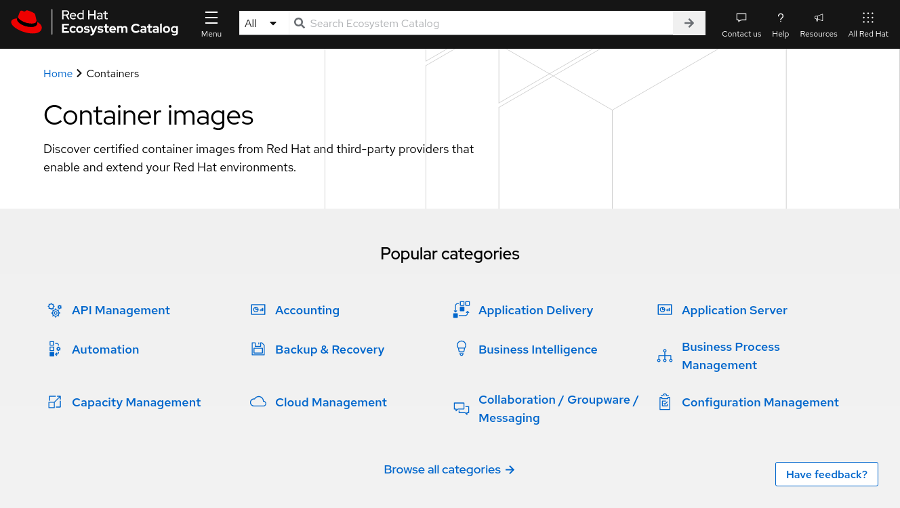
However, Red Hat provides a centralized searching utility for both registries: the Red Hat Ecosystem Catalog, available at https://catalog.redhat.com/. You can use the Red Hat Ecosystem Catalog to search for images and get technical details about them. Navigate to https://catalog.redhat.com/software/containers/explore to search for container images.
 |
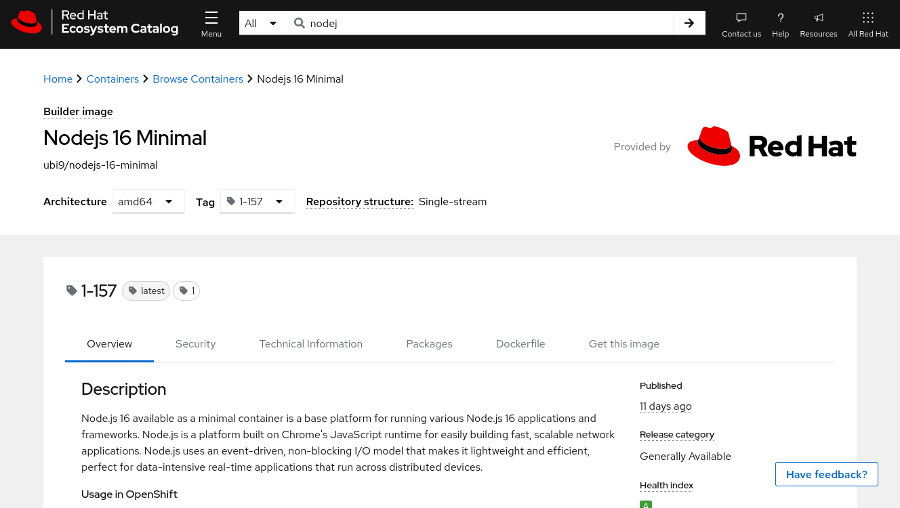
The container image details page provides relevant information about the container image, such as the Containerfile used to create the image, the packages installed within the image, or a security scanning. You can also change the image version by selecting a specific tag.
 |
The following table introduces some useful container images.
| Image | Provides | Description |
|---|---|---|
registry.access.redhat.com/ubi9
| Universal Base Image (UBI), Version 9 | A base image to create other images that is based on RHEL 9. |
registry.access.redhat.com/ubi9/python-312
| Python 3.12 | A UBI-based image with the Python 3.12 runtime. |
registry.access.redhat.com/ubi9/nodejs-18
| Node.js 18 | A UBI-based image with the Node.js 18 runtime. |
registry.access.redhat.com/ubi9/go-toolset
| Go Toolset | A UBI-based image with the Go runtime. The Go version depends on the image tag. |
Red Hat UBIs are Open Container Initiative (OCI) compliant enterprise grade container images that provide the base operating system layer for your containerized applications. UBIs include a subset of Red Hat Enterprise Linux (RHEL) components. UBIs can additionally provide a set of pre-built language runtimes. UBIs are freely distributable, and you can use UBIs on both Red Hat and non-Red Hat platforms or container registries.
You do not need a Red Hat subscription to use or distribute UBI-based images. However, Red Hat only provides full support for containers that are built on UBI if the containers are deployed to a Red Hat platform, such as Red Hat OpenShift Container Platform (RHOCP) or RHEL.
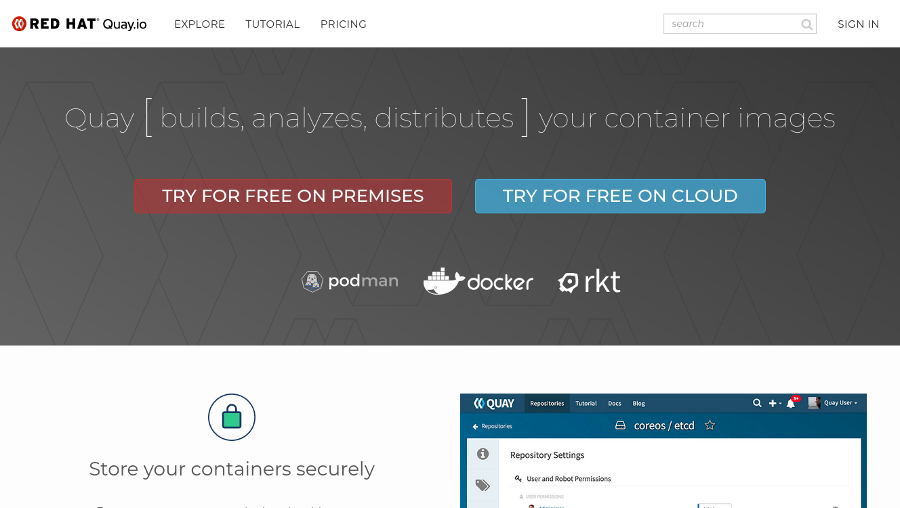
Although the Red Hat Registry only stores images from Red Hat and certified providers, you can use the Quay.io registry to store your custom images. Storing public images in Quay.io is free, and paying customers receive further benefits, such as private repositories. Developers can also deploy an on-premise Quay instance, which you can use to set up an image registry on your infrastructure.
To log in to Quay.io, you can use your Red Hat developer account.
 |
When you pull a container image, you provide a number of details.
For example, the registry.access.redhat.com/ubi9/nodejs-18:latest image name consists of the following information:
Registry URL:
registry.access.redhat.comUser or organization:
ubi9Image repository:
nodejs-18Image tag:
latest
Developers can specify a shorter, unqualified name, which omits the registry URL.
For example, you might shorten the registry.redhat.io/ubi9/nodejs-18:latest to ubi9/nodejs-18:latest.
[user@host ~]$ podman pull ubi9/nodejs-18If you do not provide the registry URL, then Podman uses the /etc/containers/registries.conf file to search other container registries that might contain the image name.
This file contains registries that Podman searches to find the image, in order of preference.
For example, with the following configuration, Podman searches the Red Hat Registry first. If the image is not found in the Red Hat Registry, then Podman searches in the Docker Hub registry.
unqualified-search-registries == ['registry.redhat.io', 'docker.io']
You can also block a registry. For example, the following configuration blocks pulling from Docker Hub.
[[registry]]
location="docker.io"
blocked=true
Some systems do not have a /etc/containers/registries.conf file, such as Microsoft Windows. In such cases, the registries.conf file might exist in a different location.
For example, on Microsoft Windows, execute the podman machine ssh command to connect to the Linux-based virtual machine that starts your containers. In the virtual machine, you can find the /etc/containers/registries.conf file:
[user@host ~]$podman machine ssh[user@DESKTOP-AA1A111 ~]$ls /etc/containers/containers.conf/etc/containers/containers.conf
See the references section for more details about the registries.conf file.
Red Hat recommends that you always use a fully qualified container image name to avoid duplicate container images in multiple container registries.
For example, depending on your Podman configuration, the rhel9/rhel-guest-image:9.4 container image might resolve to a potentially unsupported or malicious docker.io/library/rhel9/rhel:9:4 container image.
Skopeo is a command-line tool for working with container images. Developers can use Skopeo for various tasks:
Inspect remote container images.
Copy a container image between registries.
Sign an image with OpenPGP keys.
Convert image formats, for example from
Dockerto theOCIformat.
Skopeo can inspect remote images or transfer images between registries without using local storage.
The skopeo command uses the transport:image format, such as docker://remote_image, dir:path, or oci:path:tag.
Use the skopeo inspect command to read image metadata.
[user@host ~]$ skopeo inspect \
 docker://registry.access.redhat.com/ubi9/nodejs-18
{
    "Name": "registry.access.redhat.com/ubi9/nodejs-18",
    "Digest": "sha256:741b...22e0",
    "RepoTags": [
...output omitted...
Use the skopeo copy command to copy images between registries.
The following example copies the registry.access.redhat.com/ubi9/nodejs-18:latest image into the quay.io/myuser/nodejs-18 Quay.io repository.
[user@host ~]$ skopeo copy \
 docker://registry.access.redhat.com/ubi9/nodejs-18 \
 docker://quay.io/myuser/nodejs-18
Getting image source signatures
...output omitted...
The following example changes the transport format to download an image into a local directory.
[user@host ~]$ skopeo copy \
 docker://registry.access.redhat.com/ubi9/nodejs-18 \
 dir:/var/lib/images/nodejs-18
Getting image source signatures
...output omitted...
See the references section for more details about Skopeo.
Some registries require users to authenticate, such as the registry.redhat.io registry.
[user@host ~]$podman pull registry.redhat.io/rhel9/nginx-120Trying to pull registry.redhat.io/rhel9/nginx-120:latest... Error: initializing source docker://registry.redhat.io/ubi9/httpd-24:latest:unable to retrieve auth token: invalid username/password: unauthorized: Please login to the Red Hat Registry using your Customer Portal credentials. Further instructions can be found here: https://access.redhat.com/RegistryAuthentication
You might choose a different image that does not require authentication, such as the UBI 9 image from the registry.access.redhat.com registry:
[user@host ~]$ podman pull registry.access.redhat.com/ubi9:latest
Trying to pull registry.access.redhat.com/ubi9:latest...
Getting image source signatures
Checking if image destination supports signatures
...output omitted...
Alternatively, authenticate your calls by executing the podman login command.
[user@host ~]$podman login registry.redhat.ioUsername:YOUR_USERPassword:YOUR_PASSWORDLogin Succeeded! [user@host ~]$podman pull registry.redhat.io/rhel9/nginx-120Trying to pull registry.redhat.io/rhel9/nginx-120:latest... Getting image source signatures ...output omitted...
Podman stores the credentials in the ${XDG_RUNTIME_DIR}/containers/auth.json file, where the ${XDG_RUNTIME_DIR} refers to a directory specific to the current user. The credentials are encoded in the base64 format:
[user@host ~]$cat ${XDG_RUNTIME_DIR}/containers/auth.json{ "auths": { "registry.redhat.io": { "auth":"dXNlcjpodW50ZXIy"} } } [user@host ~]$echo -n dXNlcjpodW50ZXIy | base64 -duser:hunter2
Note
For security reasons, the podman login command does not show your password in the interactive session. Although you do not see what you are typing, Podman registers every key stroke. Press Enter when you have typed your full password in the interactive session to initiate the login.
Skopeo uses the same ${XDG_RUNTIME_DIR}/containers/auth.json file to access authentication details for each registry.
References
skopeo(1) and skopeo-copy(1) man pages